Nodlyn is a desktop platform that lets anyone build powerful automations without writing code. Drag blocks, connect them, press save — your workflow runs 24/7. Connect smart devices, AI models, APIs, databases, and 200+ services.
You don't need to be a developer to automate. But if you are one, Nodlyn has the advanced tools you expect.
No programming knowledge required. Just drag blocks, connect them, and press save. It's as simple as drawing a flowchart on a whiteboard.
Multi-branch logic, conditional switches, parallel execution, scheduled triggers, webhook endpoints, and a full REST API for developers who need control.
No cloud subscription. No data leaves your machine unless you choose to send it. Install once, run forever — on your own hardware.
Every feature is available in the free beta. No tiers, no paywalls.
Infinite zoomable canvas. Drag nodes from the library, connect them with edges. Conditions, switches, loops — all visual.
Made a mistake? Just Ctrl+Z. Full undo/redo history so you can experiment freely without fear of breaking anything.
Create user accounts with role-based permissions. Admins, operators, viewers — control who can build, run, or just monitor workflows.
Export your workflows as standalone runtime packages. Deploy them to remote machines, edge devices, or servers — they run independently.
Build your own nodes as plugins. Package custom business logic, proprietary protocols, or internal APIs into reusable workflow blocks.
Drop AI blocks into any workflow. Classify, summarize, call LLMs — or let an autonomous AI Agent discover and use tools from any MCP server.
Connect ZigBee, Z-Wave, MQTT, Bluetooth devices. Auto-discovery finds devices on your network. Pair in seconds, automate in minutes.
HTTP APIs, SFTP, Grafana, email, databases, Azure IoT, Tuya, OCR, barcode scanners, file system, serial ports, printers, webhooks — and custom plugins for anything else.
AES-256 encrypted credential vault. Full audit logging. API key authentication. Optional secure tunnel with path-level restrictions.
Watch workflows execute live on the canvas — nodes light up as they run. Device health dashboards. Instant failure alerts via email or webhook.
Run workflows on a cron schedule, on device events, on webhook calls, or manually. Combine multiple triggers in one workflow.
Add color-coded sticky notes directly on the canvas to document your logic. Leave instructions for teammates or your future self.
Run shell commands, scripts, and system utilities directly from your workflow. Capture stdout, stderr, and exit codes — with operator approval for safety.
Switch between the drag-and-drop canvas and a PLC-style ladder diagram. Contacts, coils, timers — familiar to industrial engineers. Saved per workflow.
The workflow builder is designed so anyone can use it — not just engineers. Pick a block from the sidebar, drop it on the canvas, and connect it to another block. That's it. You just built an automation.
Nodlyn isn't just a single-user tool. Add team members with different permission levels. Control who can create workflows, who can only run them, and who can just view the dashboards.
Build your workflow on your desktop, then export the runtime package and deploy it to a remote server, a Raspberry Pi, or an edge gateway. The runtime agent runs independently — no GUI needed.
Connect any MCP (Model Context Protocol) server and let an AI agent autonomously discover tools, reason about what to do, execute actions, and iterate until it solves your task — all inside a visual workflow node.
Need a node that doesn't exist? Build your own. The plugin system lets you create custom workflow blocks that package your proprietary logic, internal APIs, or specialized hardware drivers.
public class MyCustomNode : IWorkflowStep
{
public async Task<StepOutcome> ExecuteAsync(...)
{
// Your logic here
var result = await CallMyApi();
return StepOutcome.Ok(result);
}
}
The Command Line node lets you execute shell commands, scripts, and system utilities directly from your workflow canvas. Capture output, check exit codes, and branch your logic accordingly.
{{field}} and {{$var.key}}Switch between the standard drag-and-drop canvas and a PLC-style ladder diagram — right from the editor toolbar. Each workflow remembers its preferred view mode, and you can change it anytime.
No complicated setup. No cloud accounts. Just download, install, and start automating.
Download the free installer for Windows. Double-click to install — takes under a minute. No dependencies, no configuration.
Pick blocks from the sidebar: triggers, conditions, actions, AI, IoT devices. Drop them on the canvas and connect them with lines. That's your workflow.
Press save. Your automation runs in the background, even when you close the editor. Get notified if something fails. Edit anytime — changes apply instantly.
Here are real examples of what people automate with Nodlyn.
Motion sensor detects activity → AI classifies camera feed → turn on lights + send notification if unknown person detected.
Temperature sensor exceeds threshold → log to database → send SMS alert to maintenance team → create incident ticket. View the whole flow as a ladder diagram.
Guest checks in → adjust room temperature → unlock smart lock → send welcome email with Wi-Fi password.
Webhook receives order → validate data with AI → update inventory database → send confirmation email to customer.
Soil moisture drops below level → activate irrigation pump → log water usage → send daily summary report.
Door sensor triggers at night → capture camera snapshot → AI checks for threats → send alert with photo to phone.
User asks a question → AI Agent discovers MCP tools → searches databases, reads files, calls APIs → returns a structured answer automatically.
Scheduled task downloads CSV files from SFTP server → transform and validate data → upload processed results back to SFTP → send completion notification.
IoT sensors push metrics to Grafana every minute → AI detects anomalies → annotate dashboard with alerts → notify on-call engineer via webhook.
Barcode scan triggers workflow → parse product code → check stock in database → update inventory → send reorder alert if low.
Explore the visual workflow builder, node inspector, templates, runtime export, and more.
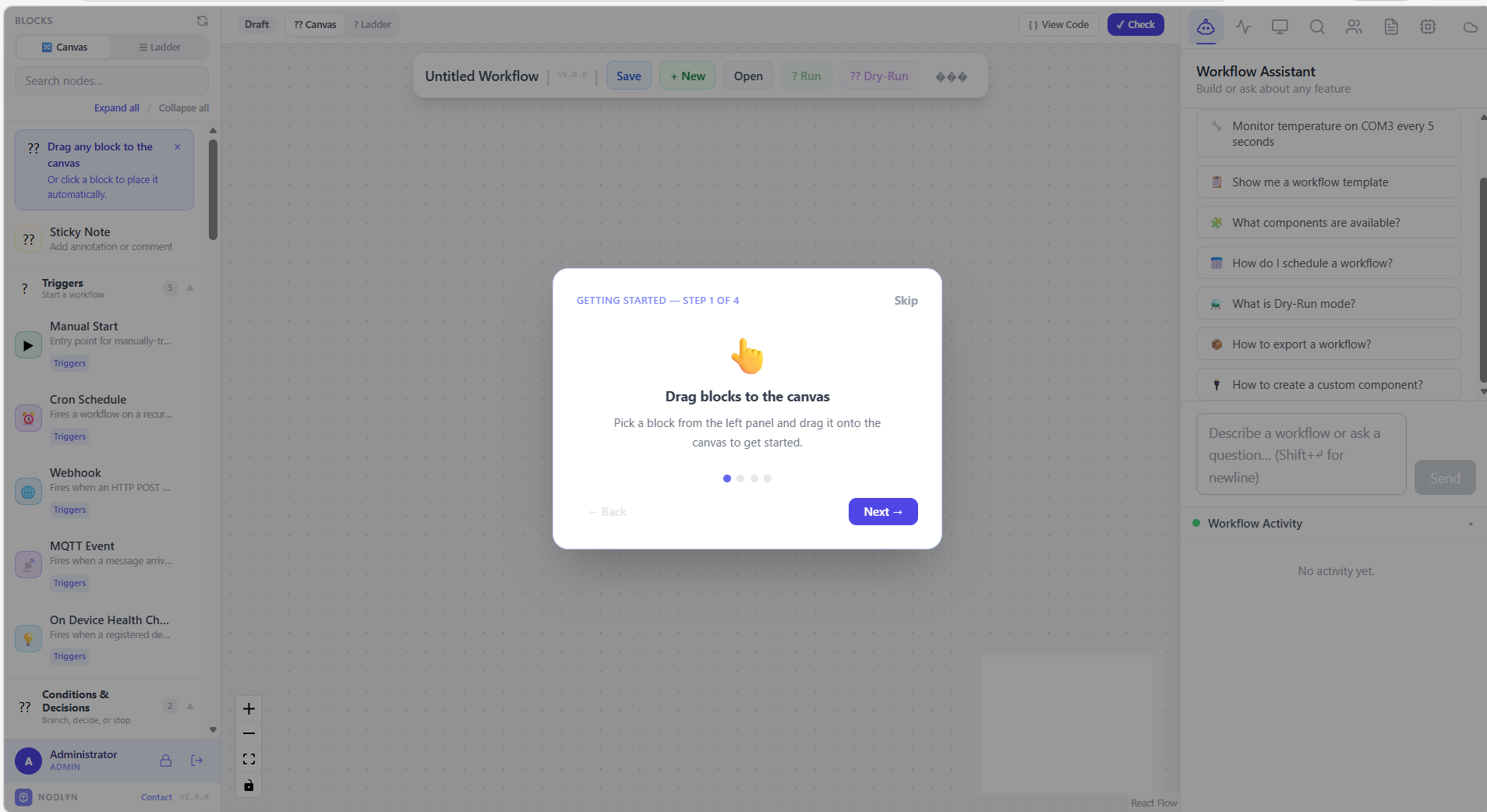
Clean workspace with block palette, triggers, and workflow assistant
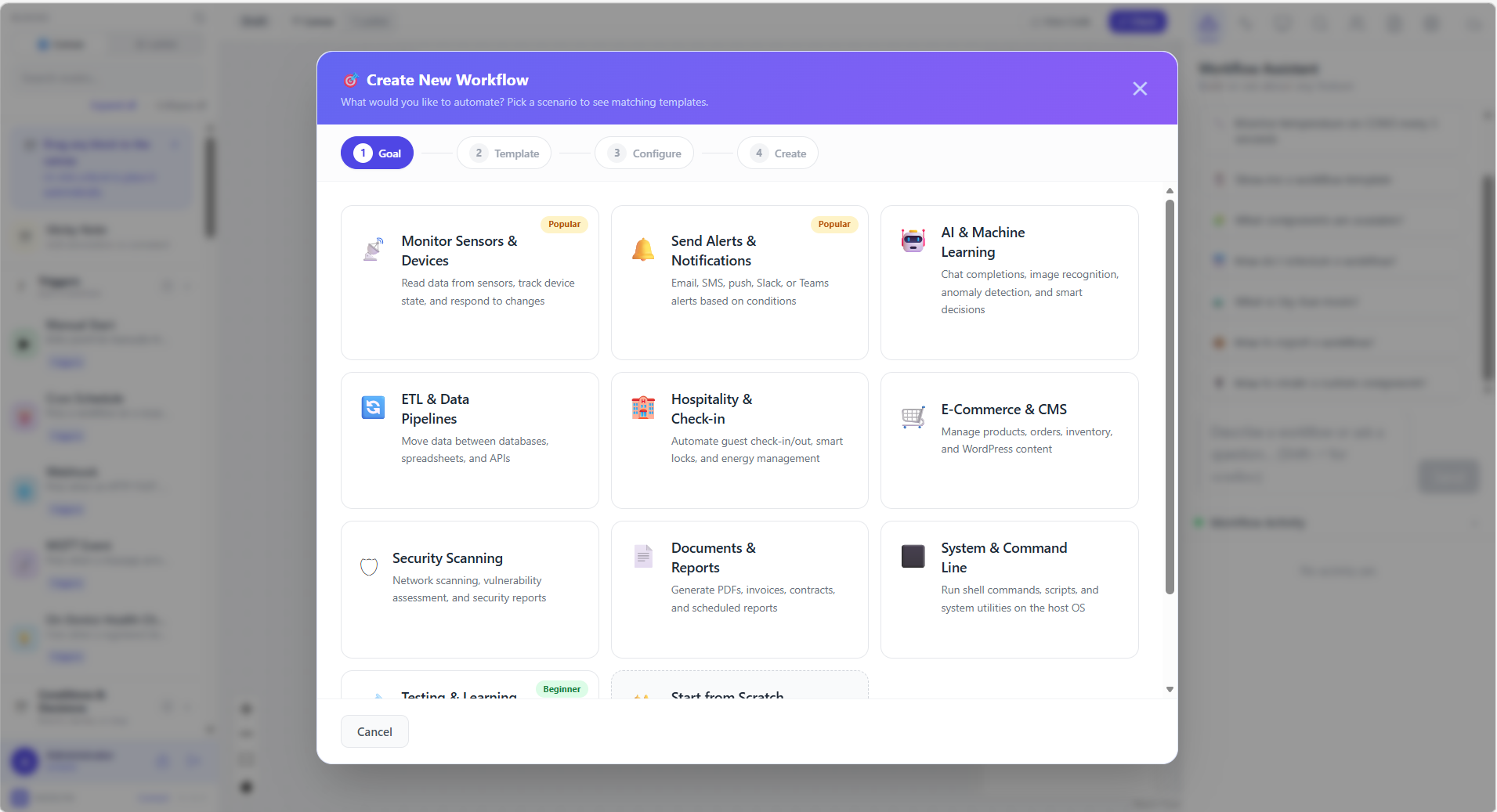
Build automations by connecting blocks on a visual canvas
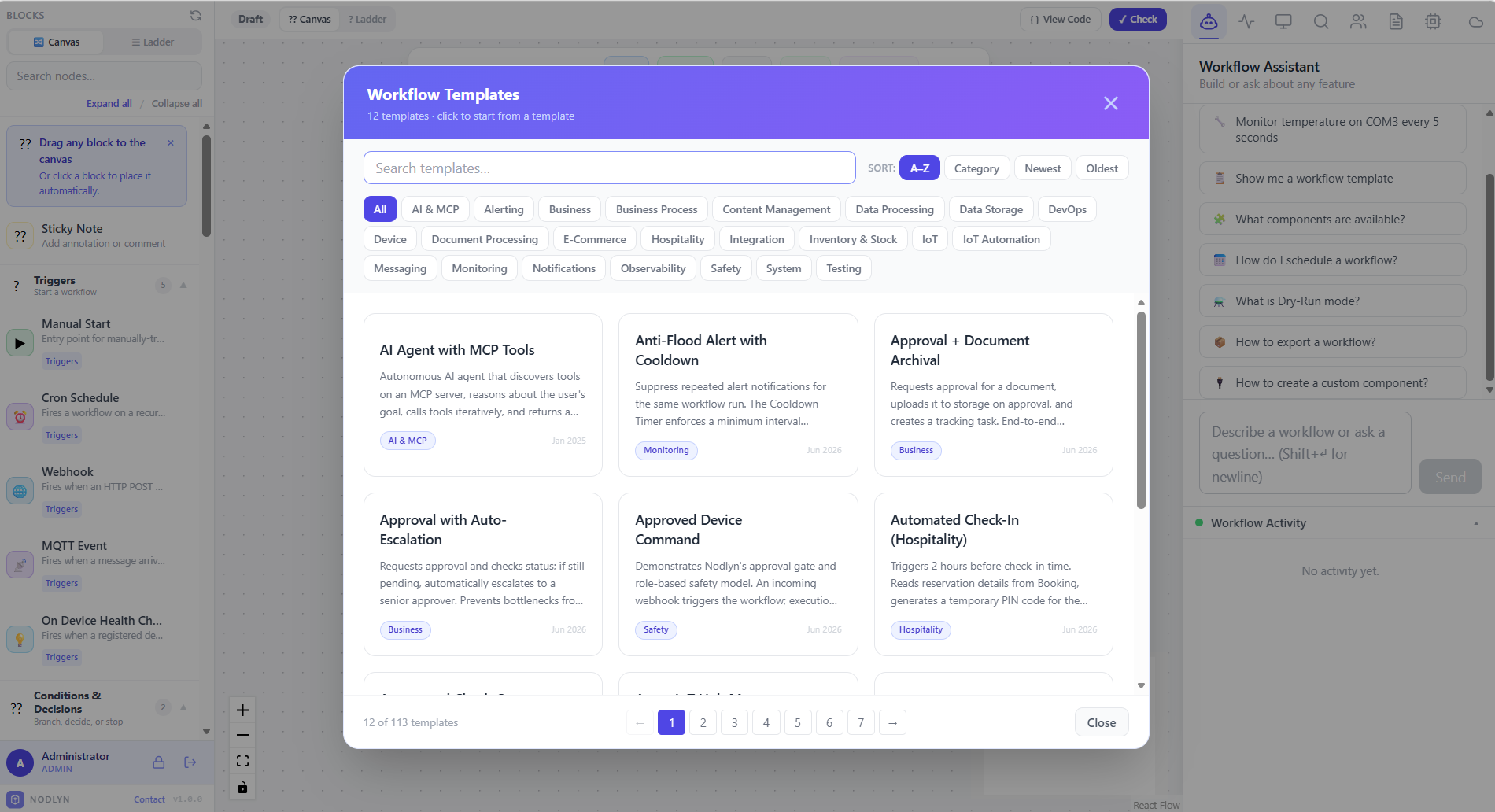
100+ ready-made templates across Business, IoT, AI & MCP, DevOps, and more
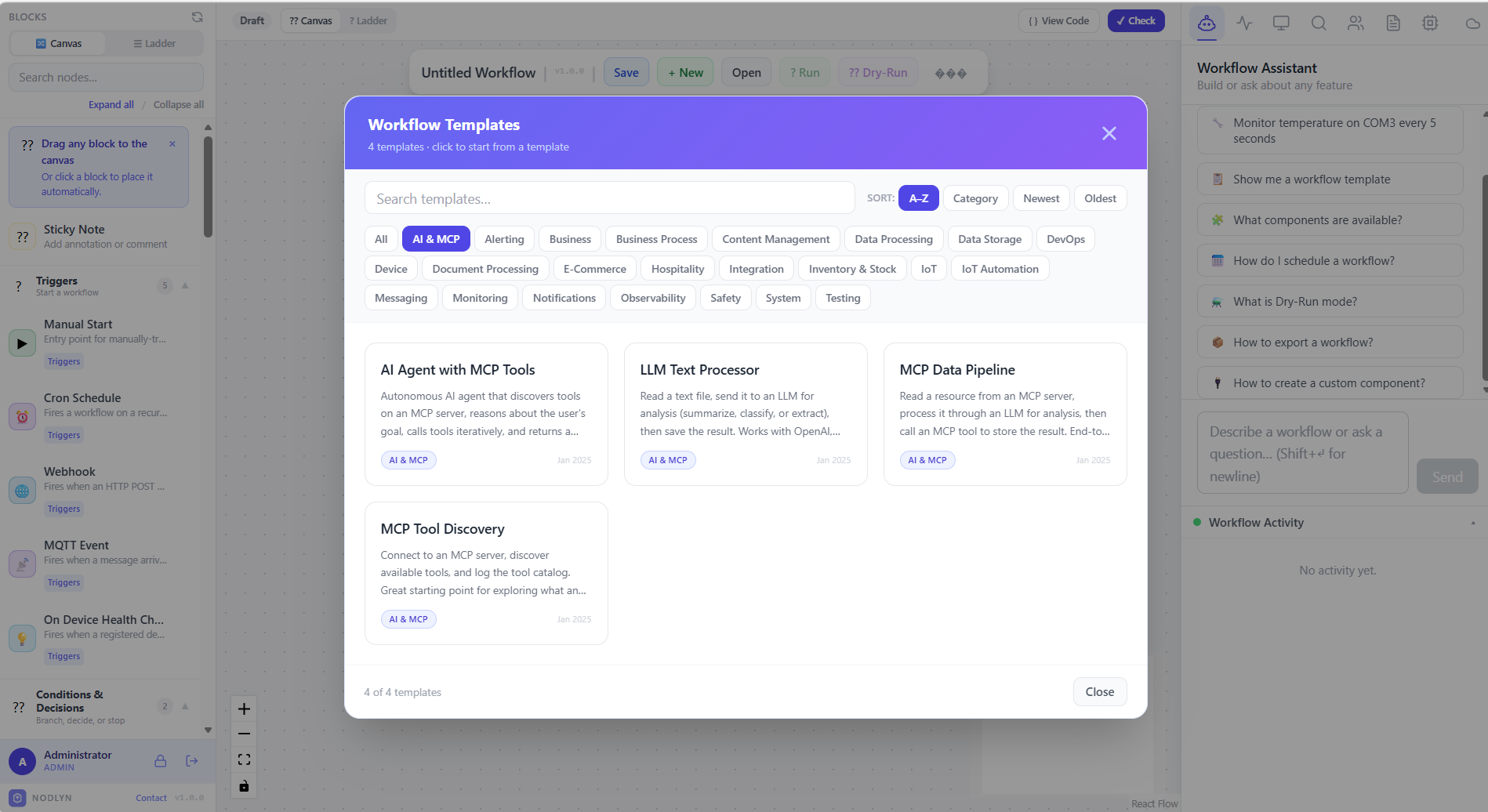
Specialized templates for AI agents, LLM pipelines, and MCP tool discovery
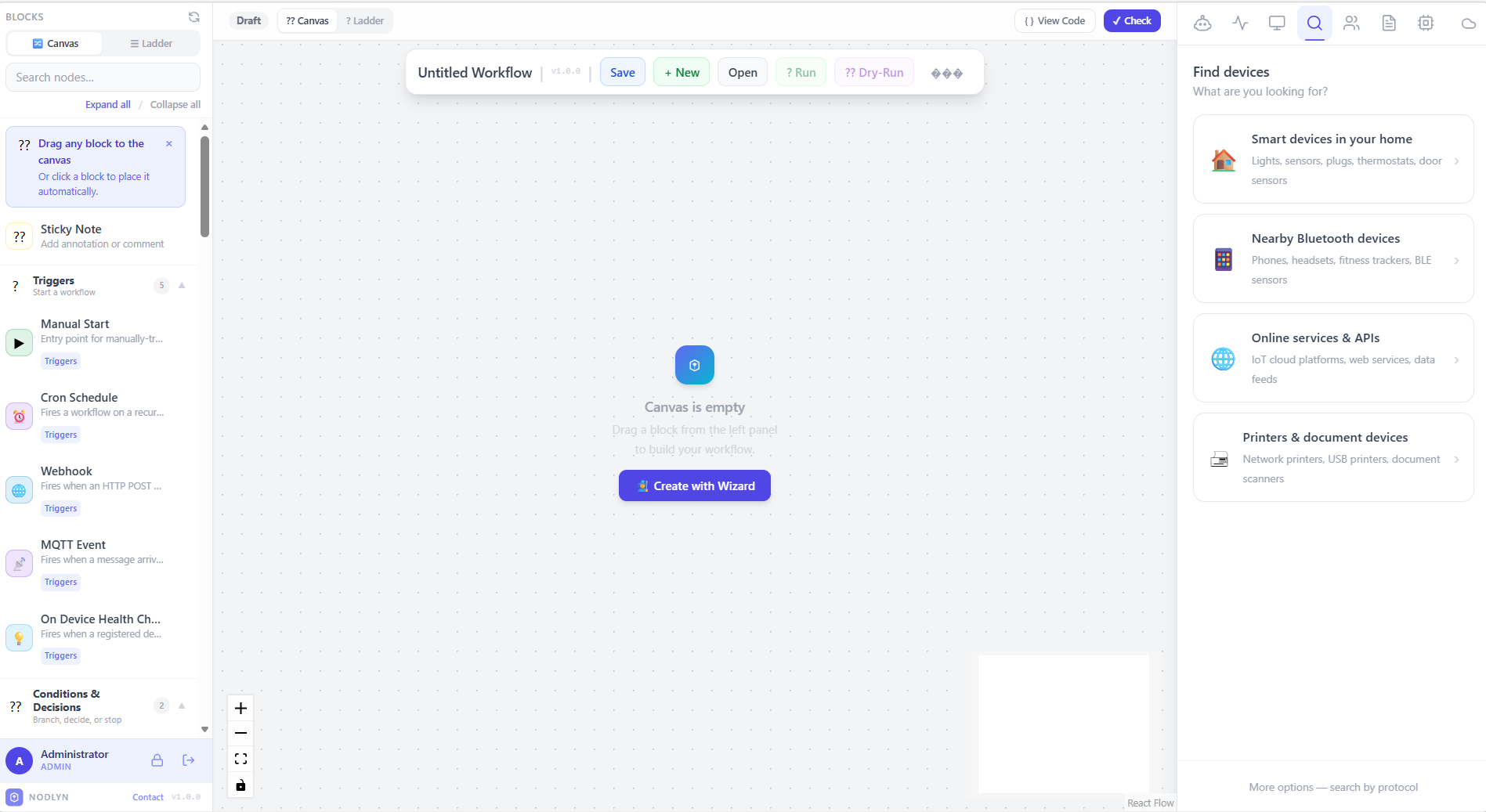
Auto-detect smart devices, Bluetooth, online services, and printers
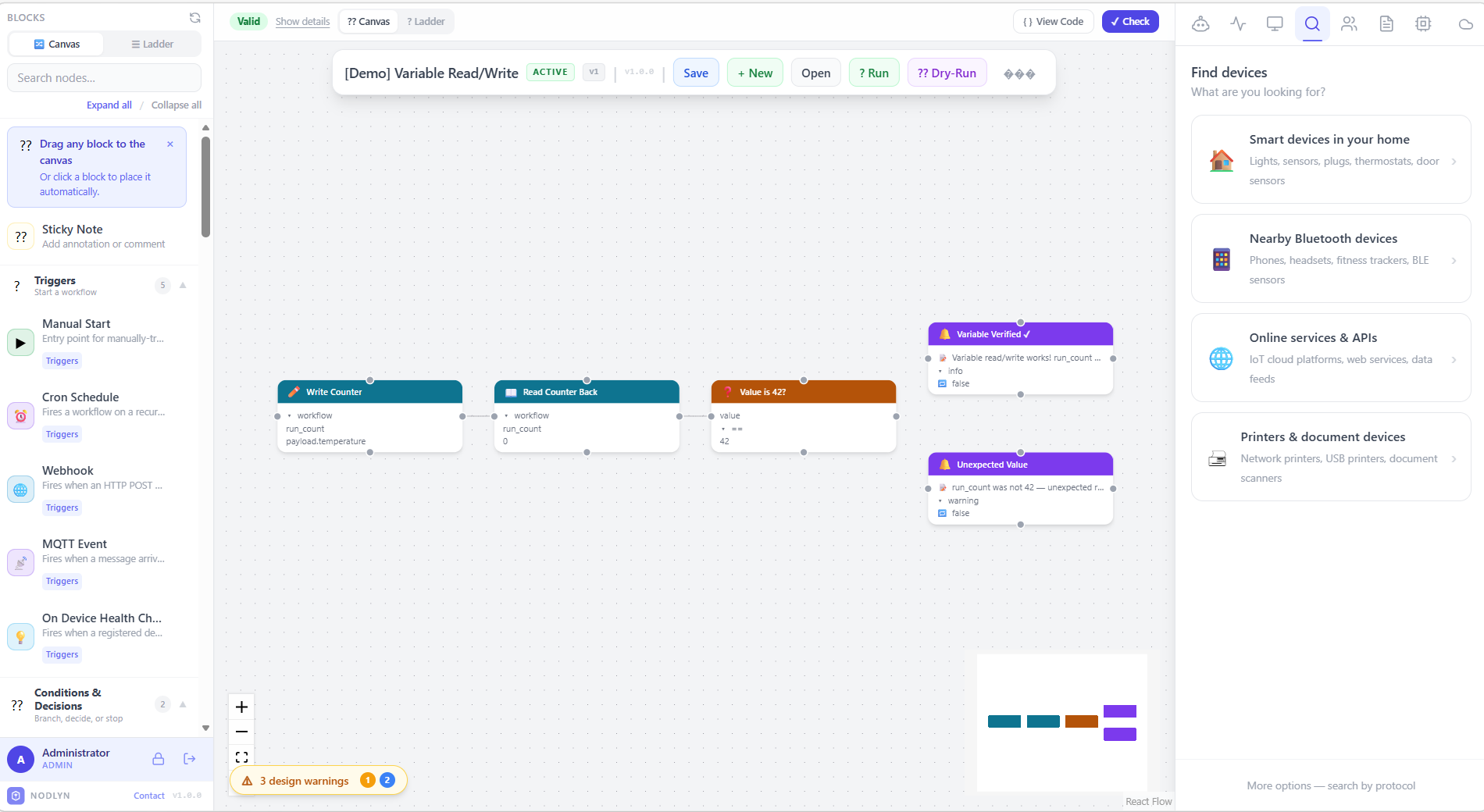
Connected nodes with real-time validation, data preview, and status indicators
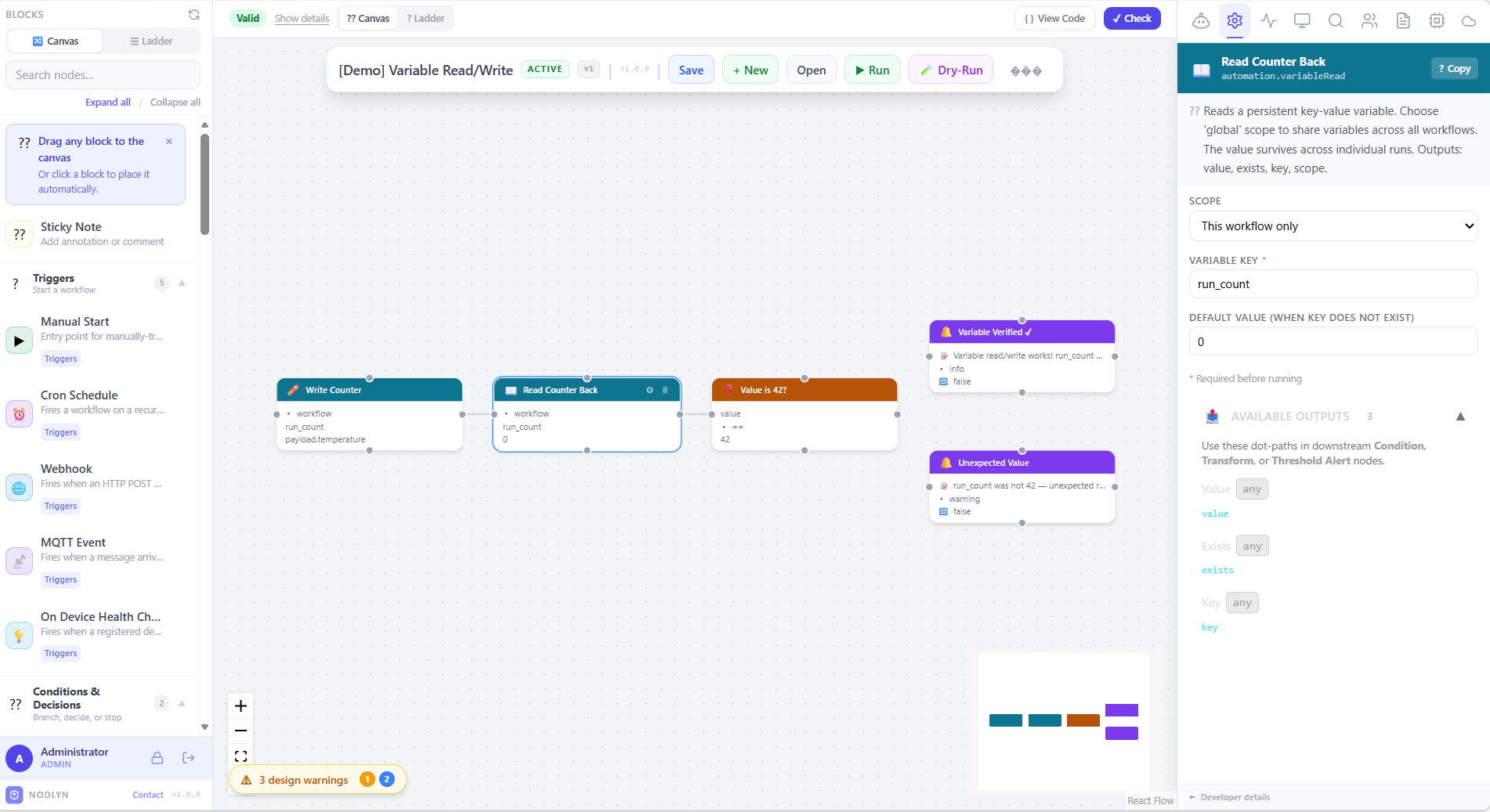
Configure each block with smart fields, scopes, and output dot-path references
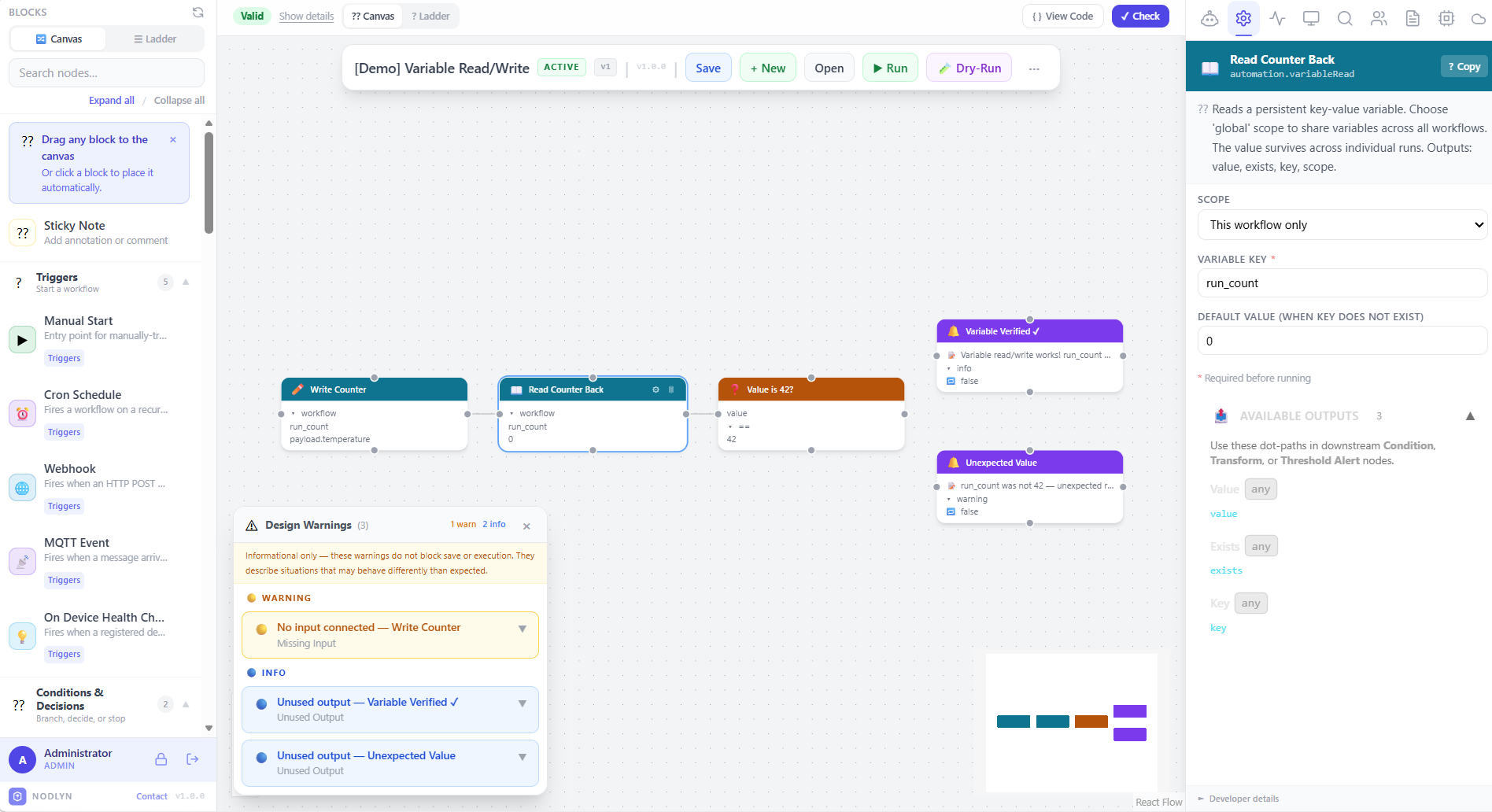
Automatic validation catches missing inputs and unused outputs before execution
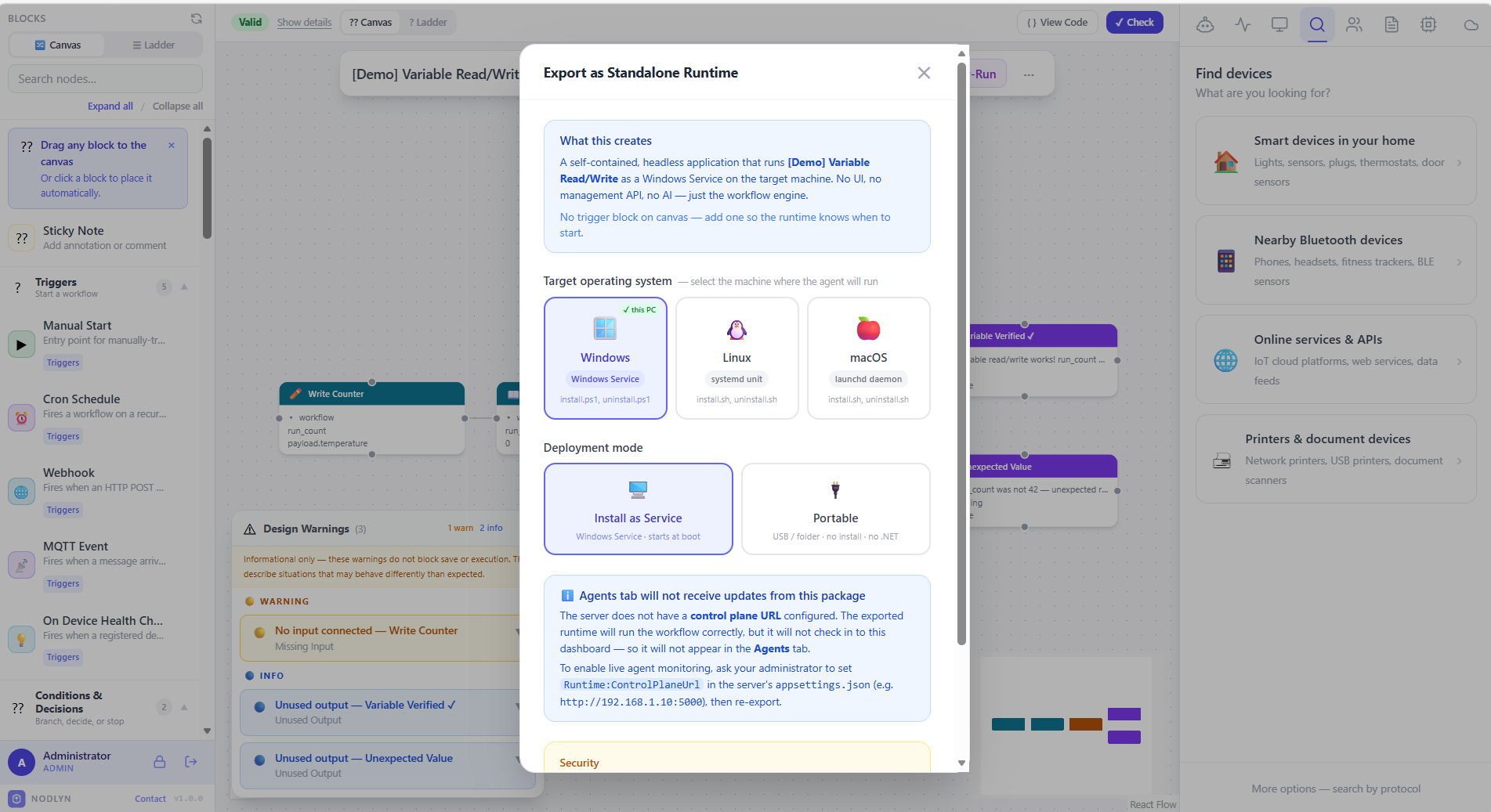
Deploy workflows as standalone services for Windows, Linux, or macOS
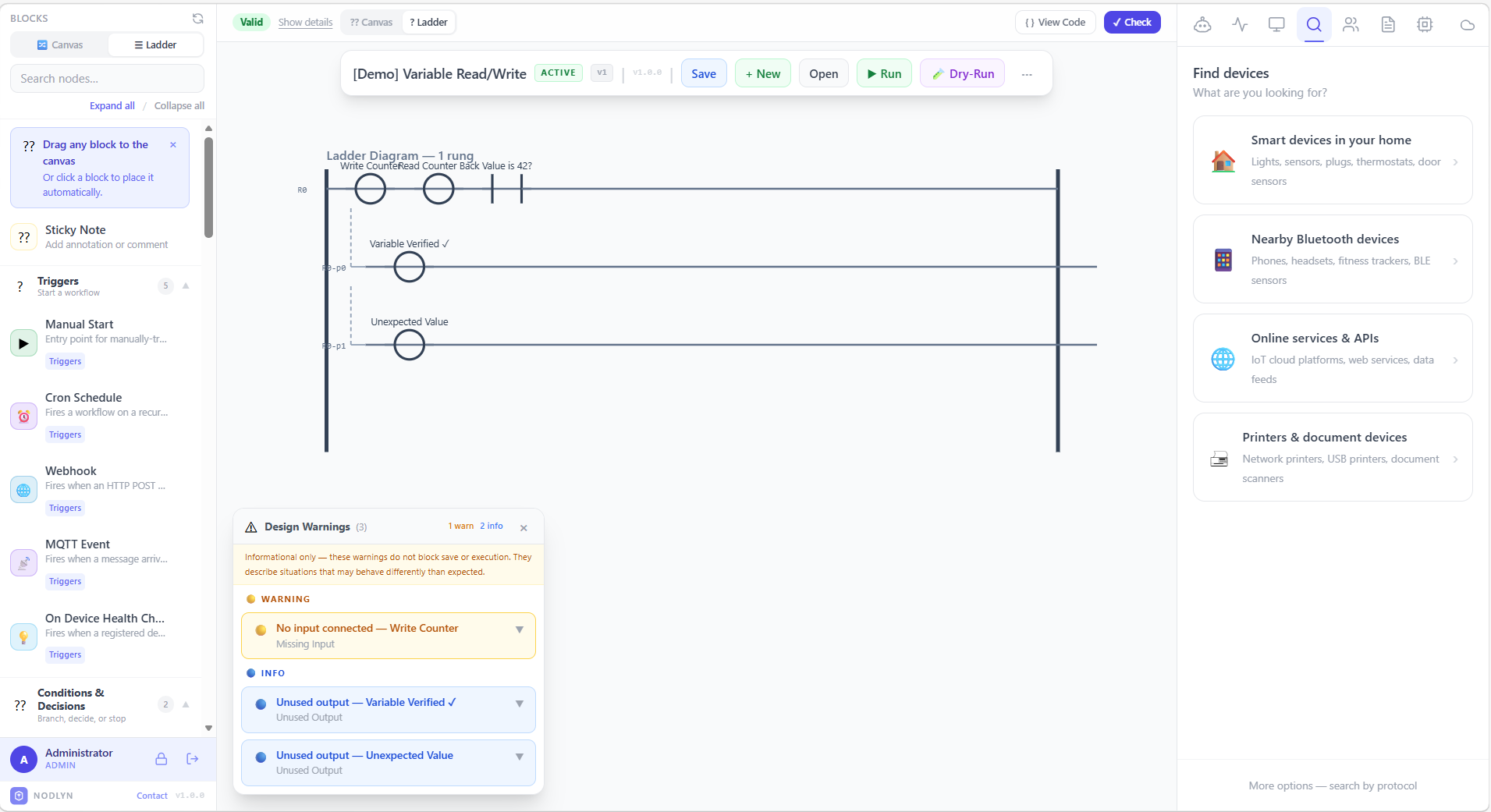
Industrial-style ladder view — familiar for PLC and automation engineers
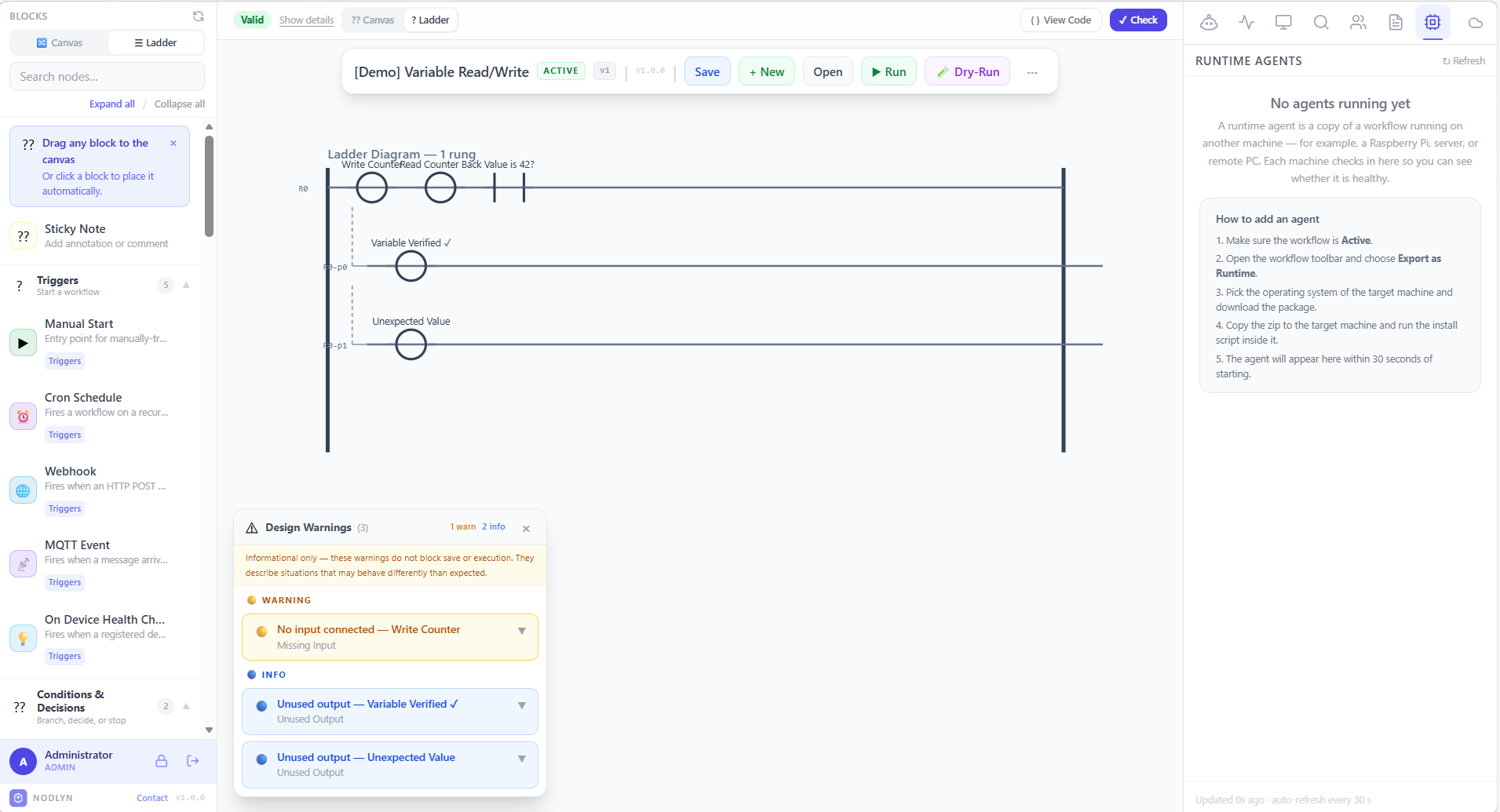
Monitor deployed agents on Raspberry Pi, servers, and remote PCs
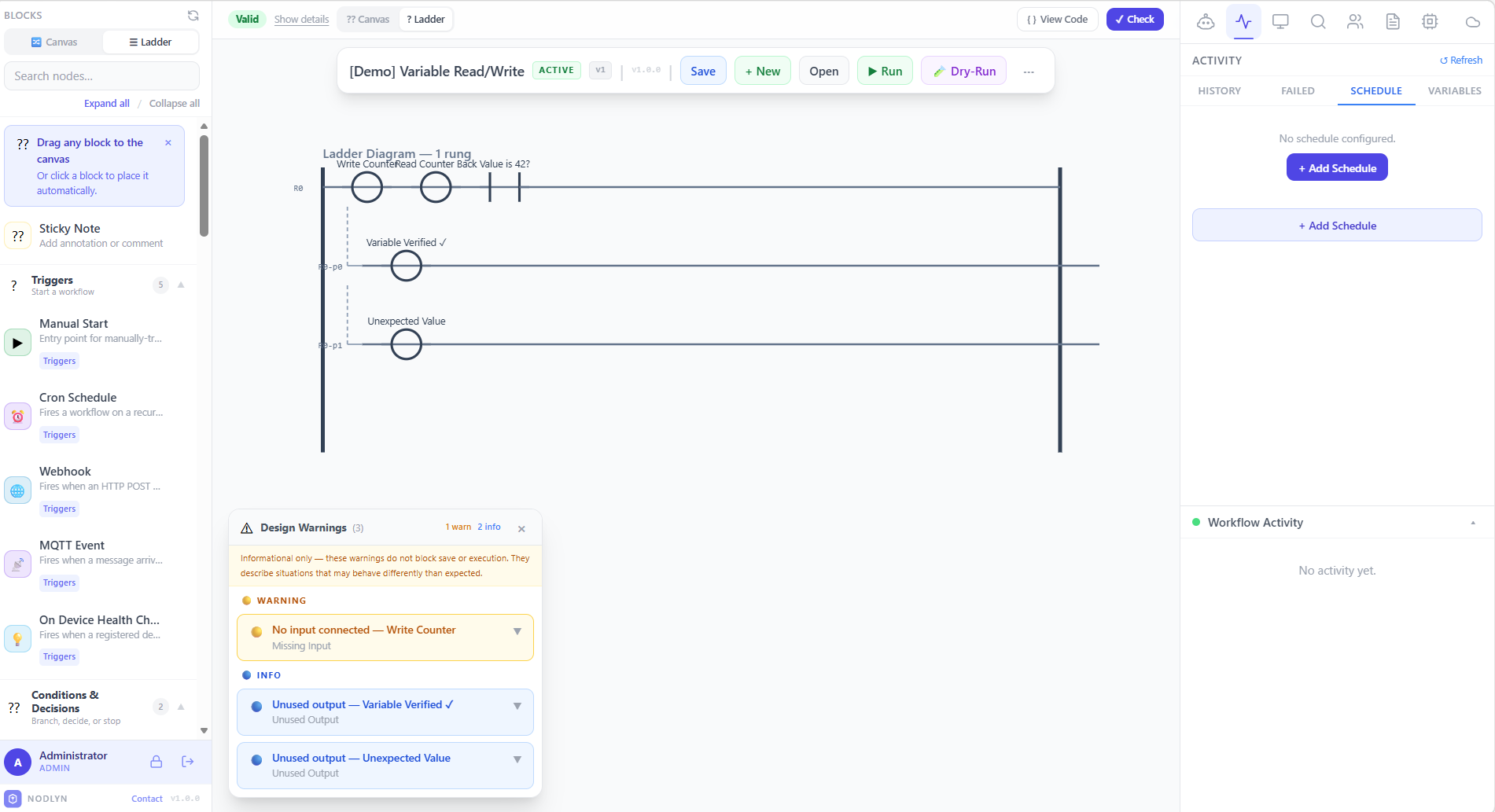
Configure automated triggers with cron expressions and interval-based scheduling
Guides, tutorials, and deep dives into building visual automations.
A step-by-step guide to downloading, installing, and building your first visual automation — no coding required.
Understand the canvas, nodes, edges, and how Nodlyn's visual builder turns flowcharts into real automation pipelines.
How to use the new MCP Tool, LLM Call, and AI Agent nodes to build workflows where AI discovers tools, reasons, and acts autonomously.
No account, no credit card, no limitations. Get the full platform today.
Nodlyn is in active development. Your feedback shapes the product.
Need a connector or action block that doesn't exist yet? We offer direct support for building new custom components. Describe your use case and we'll develop, test, and integrate it together with you — making sure it works exactly as you need it.
Have an idea for a new feature? Send us your requirements through the contact form. Every request is reviewed and prioritized. We implement new features based on available development time and access to physical devices when hardware integration is needed.
As a beta product, you may encounter occasional bugs or unexpected behavior. We appreciate every report — use the contact form below to let us know what happened, and we'll investigate and fix it as quickly as possible. Your reports make Nodlyn better for everyone.
Whether you need help getting started, want to request a custom component, report a bug, or suggest a new feature — drop us a message. We respond to every inquiry personally.